Leave Your Message
When you're picking out a Printing Machine Sheet Feeder, it’s really all about the actual materials you plan to run—not just the speed listed in the brochure. Things like paper size, thickness, coating, curl, and grain direction can make a big difference in how smoothly sheets feed. So, a feeder that works great with smooth, standard sheets might struggle with textured or lightweight stock. Honestly, it pays to test with your trickiest materials; even small differences can make a big impact.
It’s also smart to compare things like sheet capacity, adjustment range, and whether the feeder plays nicely with your press. Spend a little time watching how operators set side guides, correct skew, and clear jams—these are tasks you’ll end up doing during real production. The easier it is to access and adjust these parts, the better. Don’t forget to ask about features like double-sheet detection, maintenance schedules, spare parts, and support options. Just because a feeder is fast doesn’t mean it’s the right fit. Sometimes, consistent registration and reliable sheet separation are what really matter, more than just high speed.
Before you make a call, try running your usual jobs with your own paper and settings. Watch how it feeds at normal speed and push it a bit faster to see if jams or misalignments pop up. It’s also a good idea to have the supplier walk you through performance limits—demonstrations are helpful but can’t cover every variation in operator, paper batch, or environment. Be honest about your typical volumes and future job needs. Overbuying capacity can turn out to be a waste, but too little might slow things down later on.
And here’s a little tip—your everyday stock might behave differently after sitting in storage or during seasonal humidity swings. So, it’s worth rechecking your paper periodically to keep everything running smoothly.
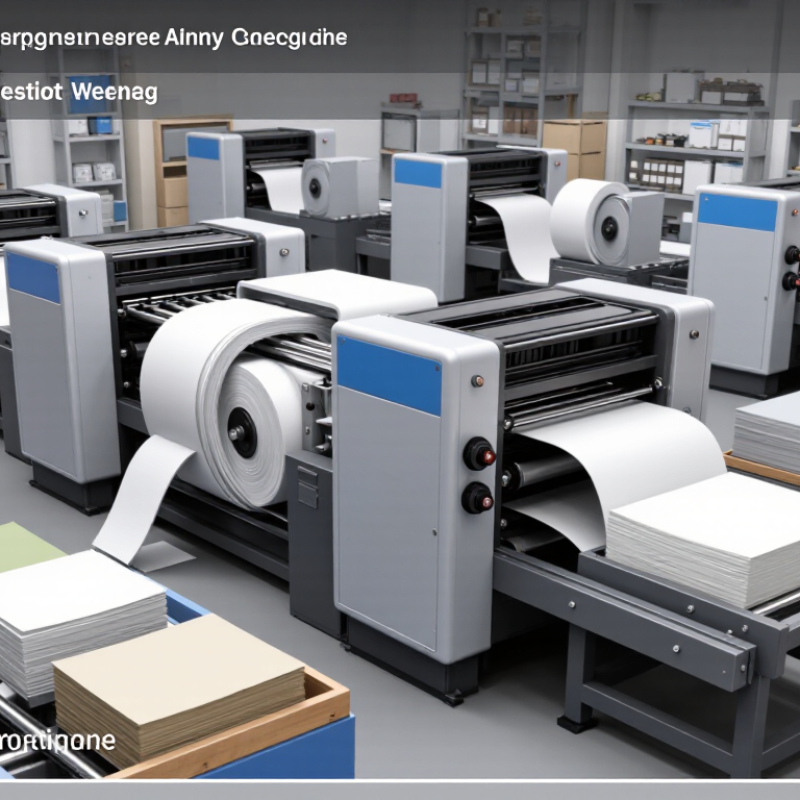
Before choosing a sheet feeder, identify the press it must serve: sheetfed offset, digital, or another format. Check the press manual for minimum and maximum sheet sizes, accepted stock thickness, pile height, and rated speed. These limits matter more than a feeder’s headline speed. A feeder that handles a 350 gsm cover may still struggle with lightweight, curled sheets. Test the actual stock, including coated paper and the grain direction used in production. Small differences count.
Then map the job mix. Record typical run lengths, changeover frequency, daily peak volume, and finishing steps.
Smithers estimated the global print market at $834.3 billion in 2022 in its report The Future of Global Printing to 2027.
That broad market figure does not specify feeder demand, but it reflects a varied production landscape. Match feeder capacity to your own work, not an industry average. For short digital runs, quick setup may matter more than maximum pile capacity. For long runs, reliable sheet separation and consistent registration become central.
Watch the first sheets closely. A few misfeeds can reveal issues with curl, static, or air settings. One caveat: stock behavior can change with humidity, so a successful test on one day is not a guarantee.
Smithers’ *The Future of Global Printing to 2028* provides a useful lens on the pressures shaping commercial print: producers must balance dependable output with productivity and consistent quality as print markets evolve. In this environment, equipment choice affects more than press speed. Reliable registration, robust construction, and efficient two-sided production can help print plants manage demanding runs of books, manuals, forms, and packaging inserts.
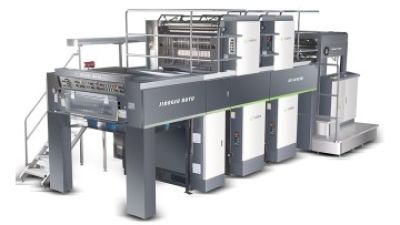
A double-sided, two-color offset press is built for this kind of high-volume work. With a rated maximum speed of 13,000 sheets per hour, it can support substantial throughput while printing both sides in a single production workflow. Its heavy-duty mechanical structure and registration control are designed to maintain stable operation and repeatable results across long runs. For commercial printers assessing capacity against the market outlook discussed by Smithers, these practical measures—sheet output, print consistency, and production reliability—offer a clear basis for evaluating how well a press can serve ongoing manufacturing needs through 2028.
Friction rollers often suit standard paper. Vacuum feeding uses air to separate coated or heavier sheets. Glossy sheets may cling, while too much air can disturb lightweight stock.
Run the exact paper, grain direction, and stack height planned for production. Check registration across several sheets. One pass proves little.
Compare sustained performance with the press pace, not just the advertised maximum. Watch for pauses and double feeds. Faster is not always better.
Check whether sheets land square against the guides across several runs. Slight skew can affect registration or finishing. Use production-ready sheets when practical.
Thin paper may curl or build static. Thick card can catch at guide corners. Humidity changes may matter more than expected. Recheck conditions.
Low-paper, misfeed, and double-sheet sensors help operators respond early. Ask how quickly the feeder recovers after a jam. A simple control panel may be enough.
Review delivery height, transfer direction, gripper timing, and control signals with the press operator. Test your lightest paper and thickest board. Real stock matters.
Leave space to open guards, remove feed rollers, and reach jam points. A layout may look roomy on paper but feel tight beside a pallet. I’d recheck it.
Include suction-head cleaning, belt checks, and worn-wheel replacement. Confirm parts availability and safe power isolation before servicing.
Choosing a Printing Machine Sheet Feeder starts with understanding the printing machine and the demands of your production, including typical workloads and desired output. Confirm that the feeder supports the sheet sizes, weights, and materials you use, then compare feeding methods to find one suited to your stock and workflow. Consider feeding speed and accuracy together: a fast feeder is useful only if it handles sheets consistently and meets your quality requirements. Automation features may also help reduce manual adjustments and interruptions.
Before purchasing, check that the feeder integrates with your existing equipment, fits the available workspace, and can be maintained without unnecessary complexity. Compare the total costs, including installation and routine upkeep, rather than focusing only on the initial price. Finally, verify performance with representative materials and operating conditions whenever possible. A careful assessment of compatibility, reliability, and long-term needs can help you choose a feeder that supports efficient production.