Leave Your Message
Picking out screen printing equipment isn't just about buying machinery; it's a smart business move. The right press can make a big difference—in color consistency, how fast you can produce, labor costs, and your day-to-day workflow. According to Grand View Research, the global market for screen printing inks is steadily growing, and MarketsandMarkets points out a rising demand for customized apparel, packaging, and promotional items. These trends definitely open up opportunities, but they also put extra pressure on small producers trying to keep up.
Scott Fresener, the guy behind T-Biz Network and a pretty well-known educator in the screen-printing world, sums it up nicely: “Choose equipment that matches your product, your volume, and the skills of your operators.” Seems simple, right? But honestly, a lot of folks overlook that advice.
If you’re just starting out and planning to produce around 300 cotton shirts a week, you probably don’t need a giant automatic setup. A compact manual press, decent flash cure, and easy setup might do the trick. On the other hand, a contract printer handling thousands of garments every week needs more—like automatic registration, bigger drying capacity, and equipment that can deliver consistent results repeatedly. Basically, your equipment should support your current workload—not some “what if” future scenario. Overspending can tie up your cash flow, but underspending? That can lead to rework, delays, and frustrated staff.
Market forecasts and reports can give you good guidance, but they’re not set in stone. Things can change pretty quickly—energy prices, labor shortages, what consumers are craving, or new tech coming in can all shift the game. It’s worth taking a moment to think about all that. Remember: equipment alone isn’t the magic solution. If your artwork's weak, ink isn’t controlled properly, or quality checks are sloppy, no fancy machine can fix that.
Before you pull the trigger on a purchase, make sure to compare print samples, check how responsive the service support is, see if spare parts are easy to get, look into training options, and consider the total cost of ownership. Good decision-making starts with real production results, not just shiny specs or impressive features.
Why Choose Screen Printing Equipment for Your Business?
What Is Screen Printing Equipment?
Silk Screen Printing Equipment is a group of tools used to transfer ink through a prepared mesh screen. The setup usually includes a screen frame, mesh, squeegee, printing platen, exposure unit, and curing equipment. Each part affects the final print. Mesh count controls detail, while squeegee pressure influences ink coverage.
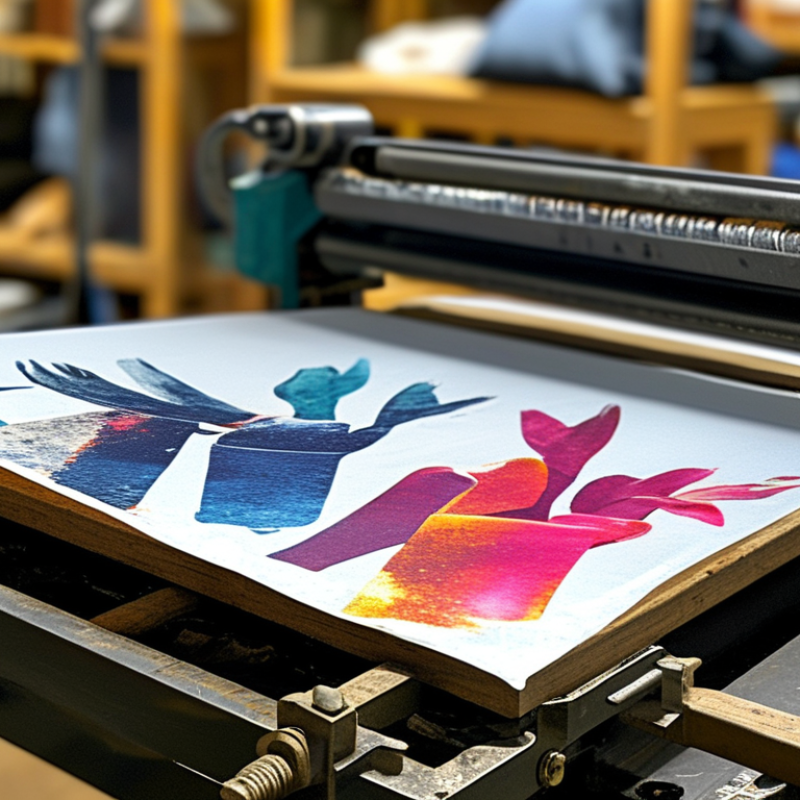
In a small workshop, an operator may align a cotton shirt on the platen, lower the screen, and pull the squeegee across the design. The image should look even, with clean edges and consistent color. It is not always perfect. A slightly uneven pull can leave pale areas or small ink deposits. Careful setup and repeated testing matter more than speed.
Commercial equipment can improve registration, production consistency, and workplace efficiency. A multi-station press helps manage several colors, while a reliable curing unit supports proper ink adhesion. Operators should check temperature, curing time, ventilation, and equipment maintenance according to technical instructions. These details protect print quality and reduce avoidable waste.
Choosing equipment also depends on product size, order volume, available space, and operator experience. A large system may seem impressive but create unnecessary costs for a new business. A smaller setup can provide useful control and practical learning. I would test sample garments before making a major purchase, because real materials often behave differently than expected.
| Equipment or Feature | Primary Function | Typical Business Use | Key Technical Details | Business Advantage |
|---|---|---|---|---|
| Screen Printing Press | Holds the screen and applies ink to a substrate with a squeegee. | Printing designs on garments, posters, paper products, signs, and promotional items. | Manual presses are commonly configured with one or more printing stations. Automatic presses use motorized or pneumatic movement for repeated production. | Provides consistent placement and supports repeatable production. |
| Screen and Mesh | Supports the stencil that controls where ink passes through. | Creating detailed or bold images on different materials. | Mesh count affects ink deposit and image detail: lower mesh counts generally deposit more ink, while higher mesh counts support finer detail. | Allows the process to be adapted for thick inks, fine graphics, and specialty effects. |
| Squeegee | Forces ink through the open areas of the stencil onto the print surface. | Manual and automatic printing applications. | Blade hardness, edge condition, angle, and print pressure influence ink coverage and print consistency. | Helps control ink coverage, edge definition, and repeatability. |
| Exposure Unit | Uses ultraviolet light to cure the photosensitive emulsion and create the stencil. | Preparing screens for accurate image reproduction. | Exposure quality depends on light intensity, exposure distance, emulsion type, mesh, and exposure time. | Improves stencil accuracy and helps preserve fine image details. |
| Screen Coating and Drying Area | Applies emulsion evenly and dries coated screens in a controlled environment. | Prepress preparation for single-color and multi-color jobs. | Darkness, cleanliness, airflow, and stable drying conditions help protect the emulsion before exposure. | Reduces stencil defects caused by dust, uneven coating, or premature exposure. |
| Flash Dryer | Briefly heats printed ink so another color can be applied over it. | Multi-color garment printing and jobs requiring intermediate drying. | Temperature and dwell time must be controlled to dry the surface without damaging the substrate or over-curing the print. | Enables layered color printing while maintaining registration between colors. |
| Conveyor Dryer | Moves printed items through a heated chamber to cure the ink. | Production of wash-resistant textile prints and other cured applications. | Effective curing depends on ink chemistry, chamber temperature, belt speed, print thickness, and substrate. | Creates a more durable finished print when the ink is properly cured. |
| Ink System | Provides the coating material that forms the printed image. | Textiles, paper, plastics, metal, glass, wood, and other compatible substrates. | Water-based, plastisol, solvent-based, and ultraviolet-curable inks have different drying, curing, adhesion, and cleanup requirements. | Supports a broad range of colors, textures, opacities, and specialty finishes. |
| Registration System | Aligns screens and substrates so separate colors print in the correct position. | Multi-color designs and repeat production. | Registration may use pallet alignment, screen micro-adjustment, pin systems, or mechanical indexing. | Reduces color misalignment, material waste, and setup time. |
| Substrate Compatibility | Determines which materials can receive and retain the selected ink. | Garments, paper, cardboard, signs, labels, plastics, wood, and selected industrial parts. | Ink adhesion and curing requirements vary according to surface texture, porosity, flexibility, and heat tolerance. | Makes screen printing suitable for both commercial and specialty products. |
| Production Scalability | Allows equipment configuration to match order volume and product complexity. | Small businesses, custom shops, contract printers, and larger production operations. | Manual equipment suits lower-volume or highly customized work; automated equipment is designed for higher repeatability and throughput. | Enables investment to grow in stages as demand increases. |
| Quality Control | Monitors registration, ink coverage, curing, color consistency, and surface defects. | Maintaining consistent output across batches and production shifts. | Important checks include stencil condition, squeegee pressure, ink viscosity, substrate positioning, and cure verification. | Improves product consistency and lowers rework and rejection rates. |
| Maintenance Requirements | Keeps presses, screens, dryers, and auxiliary equipment operating correctly. | Daily production environments and occasional custom-printing operations. | Common tasks include cleaning screens and squeegees, checking moving parts, removing ink buildup, and verifying dryer performance. | Protects print quality and extends equipment service life. |
| Safety Considerations | Protects operators from chemicals, heat, moving parts, and ultraviolet exposure. | All screen printing workplaces. | Good practice includes ventilation, appropriate personal protective equipment, machine guarding, chemical labeling, and safe handling of exposure units. | Supports safer operations and better workplace compliance. |
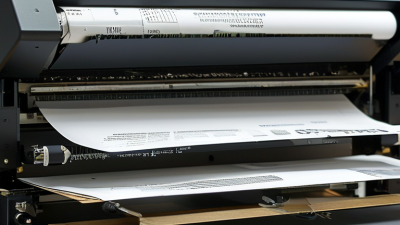
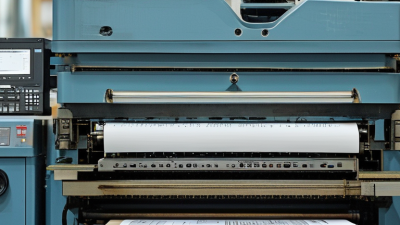
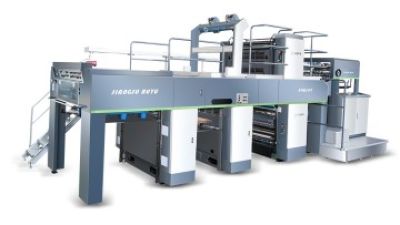
The RYJC92G double-sided monochrome printing online inspection machine is designed for high-speed offset production where consistency and traceability are essential. Integrating real-time visual inspection with the printing line, it detects missing images, stains, scratches, registration errors, uneven ink coverage, and other surface defects on both sides of the sheet. Its industrial-grade structure, precise adjustment functions, and broad paper compatibility support continuous production of books, manuals, forms, examination papers, notebooks, and confidential documents. A 2024 global printing-industry trends report, based on feedback from more than 500 companies in over 50 countries, identified automation and workflow efficiency as major investment priorities, reflecting the growing need for online quality control.
By identifying defects during production rather than after finishing, the system can reduce waste, minimize rework, and help operators respond quickly to process changes. Stable high-speed operation is especially valuable for long runs, while automatic inspection improves consistency across different paper types and print layouts. Industry production-efficiency studies also indicate that early-stage defect detection can significantly lower the cost of rejected output because errors are corrected before additional folding, binding, or delivery processes. For printers handling high-standard monochrome materials, this integrated solution supports faster decision-making, more reliable quality records, and improved utilization of press capacity.
: You need a stable press, coated screens, squeegees, emulsion, and a coating trough. An exposure unit creates the stencil. A curing dryer sets the ink properly. A washout booth, spray nozzle, and drying cabinet support cleaner preparation. Keep wet screens away from dust.
Manual presses suit small orders and limited production space. Automatic presses support higher daily volumes. Choose based on real demand, not hoped-for growth. Automation saves repetitive handling time. It also requires training and maintenance. I might still underestimate that learning curve.
Registration keeps each color aligned during printing. Without it, artwork can appear careless. A registration system improves repeatability across multiple garments. Inspect alignment under bright light. Small shifts become obvious on lettering and fine details.
Choose mesh according to the ink and artwork detail. Fine mesh captures small lettering and delicate lines. Coarse mesh holds more ink for heavier coverage. The wrong mesh can weaken detail or reduce ink deposit. Test the actual artwork before production.
A curing dryer is essential for setting ink. A flash dryer helps between multiple color layers. Check fabric after curing and washing. A temperature probe can identify uneven dryer heating. A print may look fine initially. Washing can reveal a weak cure.
Measure product size, substrate type, daily volume, and available floor space. Leave room for loading, cleaning, curing, and operator movement. Equipment for fabric may perform poorly on rigid materials. Use your actual artwork during production testing. Sales samples can hide practical problems.
Calculate electricity, consumables, spare parts, ventilation, software, and technical support. Include training and routine maintenance. Downtime and rework can cost more than expected. A cheaper machine may become expensive later. The total cost is rarely just the purchase price.
Provide good ventilation, gloves, and eye protection. Review safety guards and emergency stops before purchase. Check noise levels and cleaning procedures. Organize screens, tools, and wet materials clearly. Poor habits can defeat expensive equipment. That lesson deserves regular review.
Screen Printing Equipment is a practical production solution that uses screens, ink, and controlled pressure to transfer designs onto various surfaces. It can help businesses manage daily operations by supporting consistent output, repeatable results, and flexible customization. Depending on the setup, companies can produce printed apparel, fabric goods, posters, packaging materials, signs, promotional products, and other flat or specially prepared items.
A complete screen printing setup may include a screen-making or exposure unit, printing press, drying or curing equipment, ink, screens, squeegees, and cleaning tools. Before investing, businesses should compare equipment costs with expected production volume, product quality, available workspace, labor requirements, maintenance needs, and future expansion plans. Evaluating printing speed, ease of operation, accuracy, durability, energy use, and training requirements can help determine whether the equipment matches current goals and long-term capacity. The right choice should balance budget, reliability, product range, and operational efficiency.